What Is Siri AI? Apple's Revamped Assistant at WWDC 2026 — Features, Release, and What Changed
Everything you need to know about Siri AI: Apple's WWDC 2026 announcement, conversational capabilities, personal context, onscreen awareness, App Intents, compatible devices, languages, privacy, and how it compares to ChatGPT and Gemini.
You have heard the name at WWDC 2026: Siri AI. But is it a new product, a rebranding, or something in between? And more importantly — does it change anything about how you actually use your iPhone, Mac, or Apple Watch day to day?
Siri has been part of Apple's ecosystem for over a decade, but its core capabilities have largely stayed the same: set a timer, send a message, check the weather. The 2026 announcement changes that baseline. Siri AI is Apple's attempt to turn a voice command system into a genuinely conversational assistant that understands what is on your screen, what you have done before, and what you are trying to do next. This overview is based on analysis of Apple's WWDC 2026 keynote, Apple Intelligence developer documentation, Apple Newsroom announcements, and the iOS 27 developer beta release materials.
This article covers exactly what Siri AI is, what Apple announced (and what is still coming), which devices support it, when you can expect it in your language, and how it fits into the broader AI assistant landscape.

What Is Siri AI?
Siri AI is the rebranded and fundamentally rebuilt version of Siri that Apple introduced at WWDC 2026. It is not a standalone product — it is the same system-level assistant, now powered by Apple Intelligence with significantly expanded capabilities.
The core change is a shift from command-based interaction to conversational AI interaction. Instead of saying "Set a timer for 10 minutes" in a specific format, you can now say "Remind me to take the chicken out in 10 minutes — actually, make it 12" and Siri AI understands the follow-up naturally.
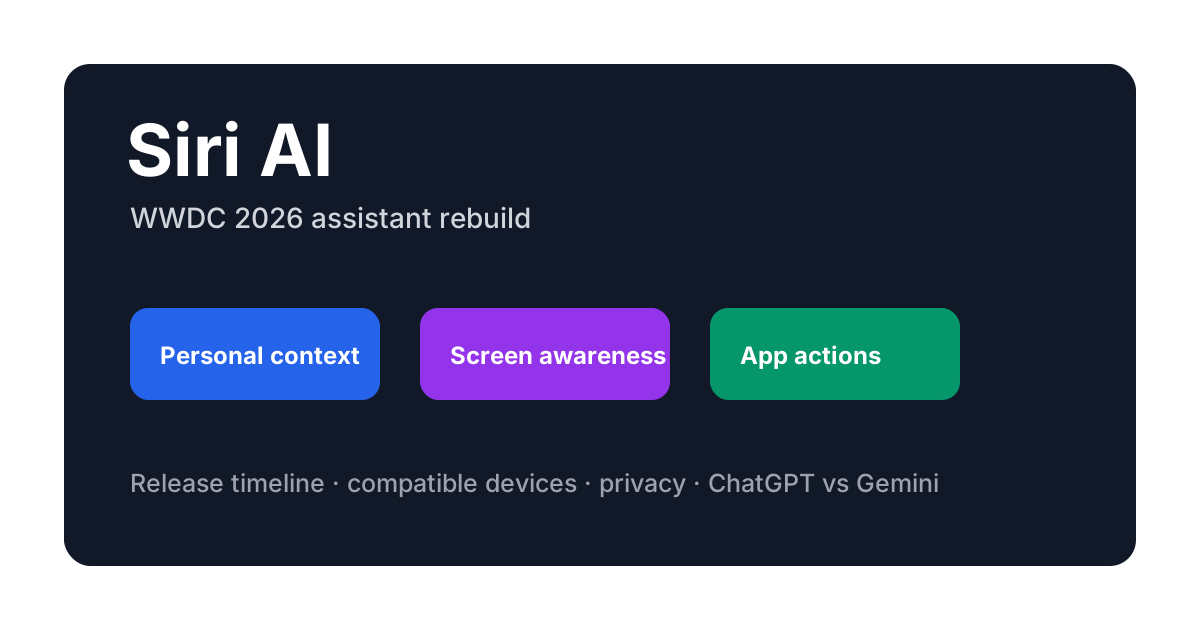
Apple demonstrated three core capabilities at WWDC 2026 that define Siri AI's identity:
| Capability | What It Does | Example |
|---|---|---|
| Personal context understanding | Remembers your conversations, files, messages, and calendar to provide relevant answers | "What time was my meeting with Sarah last Tuesday?" — without you specifying which Sarah or calendar |
| Onscreen awareness | Understands what is currently displayed on your screen and can act on it | "Send this address to Mike" — referring to an address visible in the current Messages thread |
| System-wide app actions | Performs multi-step tasks across apps without manual switching | "Book the earliest flight to Tokyo next Friday and message my hotel about late check-in" |
All three are built on Apple Intelligence, Apple's on-device and private-cloud AI infrastructure announced in 2024 and expanded significantly over the following two years.
How Is Siri AI Different From the Old Siri?
If you have used Siri before, the difference is immediately noticeable in three areas:
Conversation flow. Old Siri handled one request at a time. If you corrected yourself or added a condition, you had to start over. Siri AI maintains conversation context. You can say "Find a Thai restaurant near me" and then "Actually, the one on King Street" and it understands you are refining the previous search.
Understanding what is on your screen. This is the most visible new capability. When you are looking at a text message that contains an address, you can say "Navigate here" and Siri AI identifies the address from the screen content. The same works with Photos, Safari pages, Mail, and third-party apps that use the App Intents framework.
Performing actions across apps. Old Siri could set a reminder or send a text. Siri AI can chain actions: "Find the photos from my trip to Kyoto, create an album called 'Japan 2026', and message the link to my family group chat" — all in one request.
What Powers Siri AI: Apple Intelligence and App Intents
Siri AI does not run on a single model. It is powered by Apple Intelligence, the company's personal intelligence system that combines on-device processing with Private Cloud Compute for requests that need more power.
Apple Intelligence provides the language understanding, summarization, and generation capabilities. It is the same underlying system that powers Writing Tools, Image Playground, and notification summaries across iOS, iPadOS, and macOS. Siri AI is essentially the conversational interface to this broader intelligence layer.
App Intents is the developer framework that lets apps expose their features and content to Apple Intelligence and Siri AI. When a developer defines an App Intent schema for their app — a set of actions, entities, and relationships — Siri AI can discover and execute those actions without the developer writing any Siri-specific code.
For example, a project management app that defines an "App Intent for creating a task" automatically becomes accessible through Siri AI. The user can say "Add a task to review the Q3 budget in Things" and it works, even if the developer never touched SiriKit.
Under the hood, App Intents use a structured schema language that maps natural language phrases to type-safe API calls. When a user makes a request, Siri AI's intent resolver parses the phrase, matches it to one or more registered App Intent schemas, validates required parameters — prompting for missing ones if needed — and executes the action, all within the same conversational context.
Apple's developer documentation confirms that the following app capabilities can be exposed through App Intents:
- Content retrieval — search, filter, and surface app content
- Action execution — create, update, delete operations within the app
- Entity linking — connect app objects (contacts, projects, files) to Siri AI's understanding
- Shortcut composition — allow Siri AI to combine multiple intents across apps
For developers, this means one integration unlocks Siri AI, Shortcuts, Focus filters, and other Apple Intelligence features simultaneously.
Siri AI Release Timeline: When to Expect It
Siri AI is tied to the Apple Intelligence rollout and is being released in phases. Apple confirmed during the WWDC 2026 keynote and in its Apple Intelligence preview page that the full Siri AI experience ships with the next OS generation.
iOS 27, iPadOS 27, and macOS 17 are the first operating system versions that include the full Siri AI experience. The developer beta was available immediately following WWDC 2026, with a public beta expected in July 2026 and a public release in September 2026 alongside new hardware.
Some features are available earlier on iOS 26 and macOS 16 through software updates, particularly the improved language understanding and basic conversation context. However, onscreen awareness and cross-app actions require the full Apple Intelligence stack that ships with the next OS versions.
Apple Watch and Apple Vision Pro also support Siri AI, though with some feature differences. On Apple Watch, the assistant focuses on quick actions and health-related queries. On Vision Pro, Siri AI integrates with the spatial computing environment, allowing you to reference objects in your physical space.
Siri AI Device Compatibility: Supported Models and Requirements
Device compatibility follows the same pattern as Apple Intelligence support. The following devices are confirmed to support Siri AI:
| Device Line | Supported Models |
|---|---|
| iPhone | iPhone 16 Pro and later (A18 Pro / A19+ chips) |
| iPad | iPad Air (M4+), iPad Pro (M4+) |
| Mac | Macs with Apple Silicon (M4+) |
| Apple Watch | Series 10 and later |
| Apple Vision Pro | All models |
The key hardware requirement is a Neural Engine capable of on-device Apple Intelligence inference. Older devices with the A17 or earlier chips will continue to receive standard Siri updates but do not support the full Siri AI feature set.
Apple has not yet confirmed whether the next-generation iPhone SE will support Siri AI — this depends on the chip Apple selects for that model.
Which Languages and Regions Are Supported?
Apple Intelligence and Siri AI support the same set of languages. As of WWDC 2026, the supported languages include:
- English (US, UK, Australia, Canada, India, Singapore)
- French (France, Canada)
- German (Germany)
- Italian (Italy)
- Portuguese (Brazil)
- Spanish (Spain, Latin America)
- Japanese
- Korean
- Simplified Chinese
Apple has committed to expanding language support throughout 2026 and 2027, with Vietnamese, Thai, Turkish, and more European languages listed as "coming soon" on the Apple Intelligence language page.
Region restrictions still apply in the same way they do for Apple Intelligence: the device region and Siri language must both be set to a supported region/language pair. This means a user in a supported country with an unsupported language setting will not see Siri AI features until their language is added.
Privacy: How Does Siri AI Handle Your Data?
Apple positions privacy as Siri AI's primary differentiator relative to cloud-based assistants like ChatGPT and Gemini.
On-device processing. The vast majority of Siri AI requests are processed entirely on the device. Personal context, onscreen content, and app data stay on the device and are not sent to Apple's servers. The Neural Engine handles inference locally.
Private Cloud Compute. For requests that need additional processing power — complex summarization, multi-step reasoning — Siri AI uses Apple's Private Cloud Compute infrastructure. Apple has published the runtime images for independent security researchers to verify, and the system is designed so that Apple cannot access the data being processed even on its own servers.
App Intents privacy model. When Siri AI performs an action through App Intents, it requests permission from the user for each app category. You can revoke an app category's access at any time in Settings. The actual data flow is: user request → Apple Intelligence → App Intent schema → app action. Apple Intelligence does not see the app's internal data, only the schema-defined interface.
Apple has explicitly stated that Siri AI does not use your personal data for model training and that on-device data never leaves the device without explicit user consent.
This privacy-first architecture puts Siri AI in a fundamentally different category from cloud-based assistants. But how do they compare in day-to-day use?
Siri AI vs ChatGPT vs Gemini: How Do They Compare?
Siri AI enters a market where ChatGPT and Gemini are already well-established AI assistants. But comparing them directly misses an important distinction: Siri AI is a system-level device assistant, while ChatGPT and Gemini are primarily cloud-based conversational AI with different integration models.
| Dimension | Siri AI | ChatGPT | Gemini |
|---|---|---|---|
| Primary role | Device OS assistant | General conversation AI | Multi-modal AI assistant |
| Processing | On-device + Private Cloud Compute | Cloud-based (majority) | Cloud-based (majority) |
| Device control | Deep (system-wide, app actions via App Intents) | Limited (API-based integrations) | Limited (API-based, Google ecosystem) |
| Multi-modal | Onscreen awareness, spatial (Vision Pro) | Text, image, voice | Text, image, voice, video |
| Privacy model | On-device by default, verifiable cloud | Cloud processing, opt-out data training | Cloud processing, opt-out data training |
| Availability | Apple ecosystem only | Web, mobile, API across platforms | Web, mobile, Google ecosystem |
Rule of thumb: Use Siri AI for device-level, multi-app workflows — it excels at controlling your phone, acting on on-screen content, and chaining actions across apps. Use ChatGPT or Gemini for content creation, coding, and open-ended research — tasks that go beyond what your device's built-in capabilities can handle.
The practical takeaway: Within the Apple ecosystem, Siri AI handles device orchestration better than any third-party assistant can. For general-purpose creative and analytical work, cloud-based assistants remain the stronger choice. Pick based on where you spend most of your screen time.
Apple has not ruled out integrating third-party AI models. Reports from WWDC 2026 indicate that Apple continues to evaluate partnerships, but Siri AI's current intelligence layer is entirely Apple-owned (Apple Intelligence), with no Gemini or ChatGPT dependency.
How to Prepare for Siri AI as a Developer: Start With App Intents
For developers with iOS, iPadOS, or macOS apps, the single most impactful action is adopting the App Intents framework.
Apple's WWDC 2026 sessions highlighted that App Intents is the primary way apps become discoverable and actionable through Siri AI. The framework has been available since iOS 16, but Siri AI significantly expands its relevance because:
- Siri AI can discover intents dynamically — it does not require the user to manually configure Shortcuts
- App Intents now support parameter resolution — Siri AI can ask clarifying questions if an intent parameter is ambiguous
- Intents can be composed across apps — Siri AI can chain a Calendar intent with a Maps intent in one request
Developers who already use App Intents will see their apps work with Siri AI without changes. Developers who have not adopted it should start with the most common user actions in their app and define intent schemas for those.
Apple's developer documentation also notes that on-screen awareness for third-party apps requires adopting the AppEntity and AppEnum protocols so Siri AI can identify and reference on-screen content.
Siri AI Roadmap: What's Available Now vs Still Coming
Apple has been transparent about which Siri AI features are available now and which are still in development. Based on the WWDC 2026 announcements and Apple's developer documentation:
Available now (iOS 27 beta / later software updates):
- Improved language understanding and conversation context
- Personal context from Apple apps (Messages, Mail, Calendar, Photos)
- Onscreen awareness on first-party apps
- System-wide app actions with supported apps
- App Intents discovery and execution
Listed as "in development / future software update":
- Expanded personal context from third-party apps
- Onscreen awareness for all third-party apps (beyond those adopting specific protocols)
- Multi-step voice composition with external AI services (if partnerships materialize)
- Live translation during phone calls
Users who adopt the iOS 27 public beta in July 2026 will get access to the majority of announced features, while some items on the "coming soon" list may arrive in point releases (iOS 27.1, 27.2, etc.) later in 2026 or early 2027.
Frequently Asked Questions
Will Siri AI replace Siri completely?
Yes and no. The Siri AI name covers the new conversational capabilities, but the traditional Siri functions (timers, alarms, calls, basic commands) remain and work the same way. You are not losing existing functionality.
Do I need an Apple Intelligence subscription to use Siri AI?
No. Siri AI is part of the operating system and does not require a separate subscription. Apple Intelligence features are included with the device.
Can I use Siri AI in Chinese?
Yes, Simplified Chinese is among the supported languages for Apple Intelligence and Siri AI.
Does Siri AI work offline?
Some capabilities work offline — basic language understanding, on-device personal context, and local app actions. Features that require significant processing, such as complex summarization or cross-app composition, need an internet connection for Private Cloud Compute.
Will Siri AI be available on Intel Macs?
No. Siri AI requires Apple Silicon (M4 and later). Intel Macs will continue to receive standard Siri updates but not the full Siri AI feature set.
Can Siri AI access my health data?
Yes, with explicit permission. Apple Health data can be accessed through App Intents, and you can grant or revoke this access in Settings. Siri AI can answer questions like "How many steps did I walk yesterday?" or "Log my blood pressure as 120 over 80."
Is Siri AI using ChatGPT or Gemini?
Based on Apple's WWDC 2026 announcements, Siri AI's intelligence layer is entirely built on Apple Intelligence. Apple has not integrated third-party AI models into Siri AI at this time.
How does Siri AI handle ambiguous requests?
When Siri AI cannot confidently determine what you mean, it asks clarifying questions rather than failing silently. For example, if you say "Message my brother about dinner" and you have multiple contacts labeled "brother," it will ask which one.
Summary
Siri AI represents Apple's most significant upgrade to its voice assistant since the original Siri launch in 2011. The shift from command-based interaction to conversational AI — combined with personal context, onscreen awareness, and cross-app actions — fundamentally changes what you can accomplish with voice on Apple devices.
Three things to remember:
- Siri AI is not a separate product — it is the existing Siri rebuilt on Apple Intelligence with new conversational capabilities
- The biggest changes are conversation context, onscreen awareness, and cross-app actions — all three are available in iOS 27
- Developers unlock Siri AI support through App Intents — one integration covers Siri AI, Shortcuts, and Focus filters
If you are using an iPhone 16 Pro (or later), an M4 iPad or Mac, or an Apple Watch Series 10, Siri AI will be part of your next OS update. The public beta starts in July 2026, and the full public release follows in September 2026.
Try this first when you get Siri AI: Open a message that contains an address, point at the screen, and say "Navigate here." That single interaction captures the entire shift — from remembering a voice command syntax to simply describing what you want.
Sources: Apple WWDC 2026 keynote, Apple Developer Apple Intelligence page, Apple Newsroom supported languages page, Apple Siri developer documentation, WWDC 2026 Apple Intelligence Guide sessions.
Author

Categories
More Posts

ChatGPT vs Gemini Image Generation: Which AI Creates Better Images? (2026)
ChatGPT (GPT Image 2) vs Gemini (Nano Banana) for image generation — compared across quality, text rendering, speed, editing, pricing, and which model wins for each use case.


Best ChatGPT Prompts for Image Enhancement: Upscale, Sharpen, and Improve Quality (2026)
Best ChatGPT prompts for image enhancement — upscale to 8K, sharpen details, enhance faces, improve resolution, and fix quality issues with GPT Image 2. Includes ready-to-use prompt templates for each scenario.
How Many Images Can I Generate With ChatGPT Plus? GPT Image 2 Limits, Tiers, and What Counts (2026)
How ChatGPT Plus image generation limits work for GPT Image 2 (ChatGPT Images 2.0) — Instant vs Thinking mode, the rolling window, what counts as one generation, what happens at the cap, and practical ways to stay productive.
Newsletter
Join the community
Subscribe to our newsletter for the latest news and updates